 Deez Nust
How to Set Up Deez Nust
Get started with Deez Nust in just a few simple steps
★
Setting up Deez Nust (Non-technical guide)
Follow these five quick steps.
1
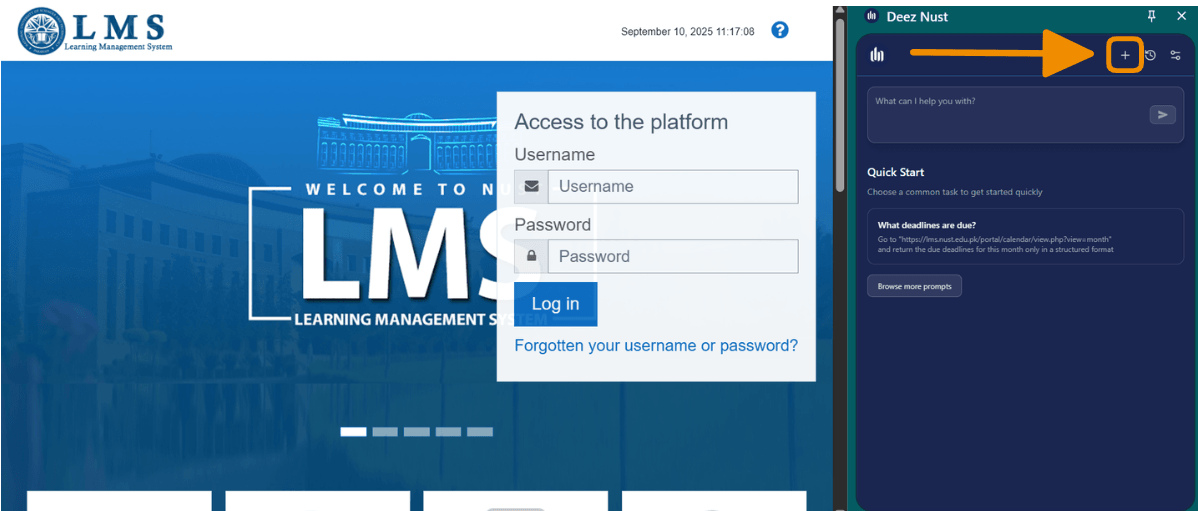
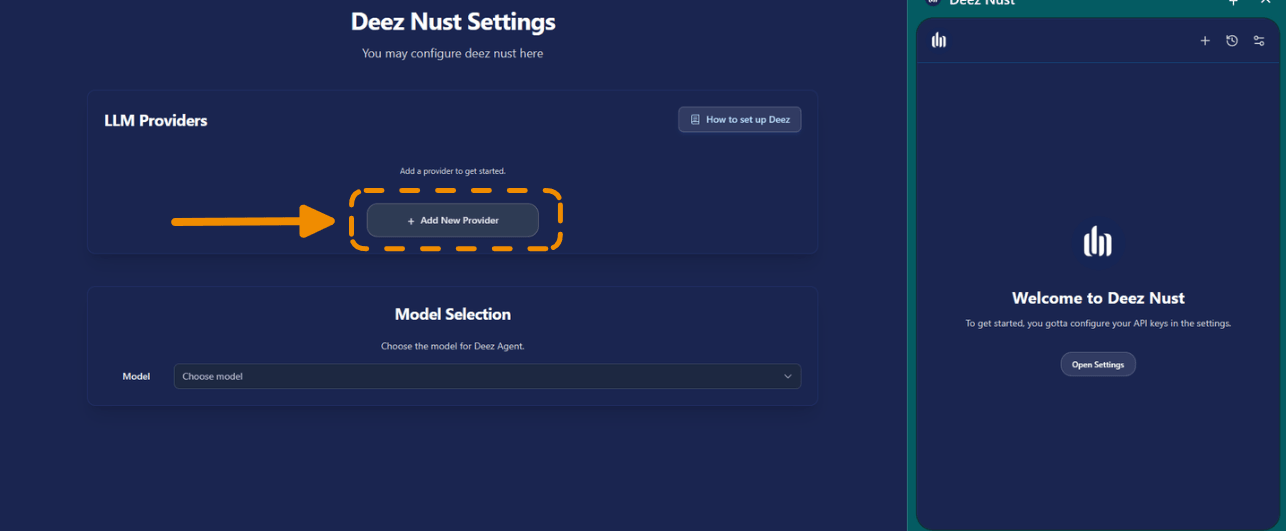
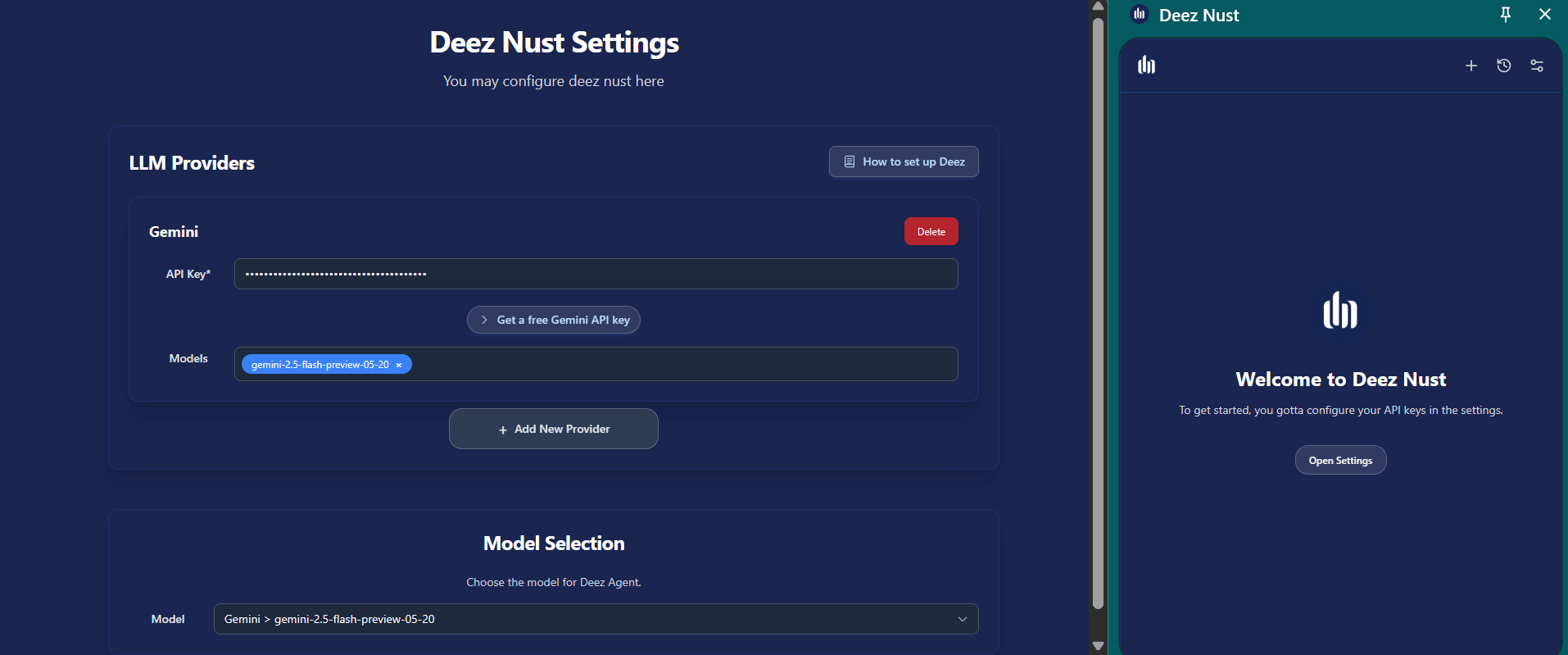
Open Settings and click "Add Provider"
Go to the settings page. Find and click the Add Provider button.
2
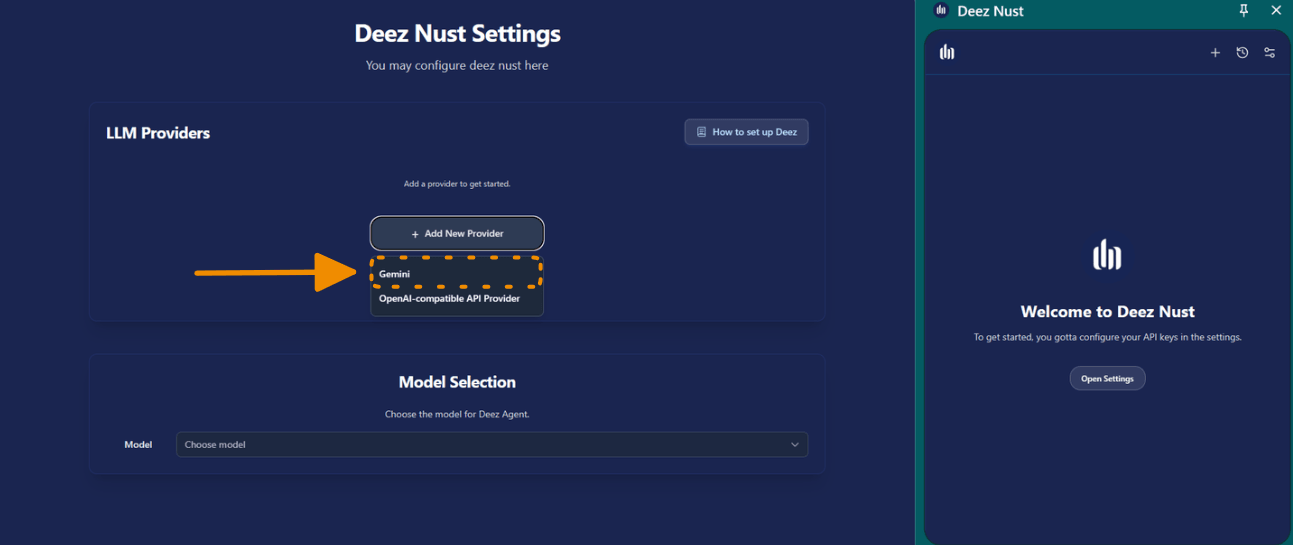
Choose Gemini
From the list of providers, select Gemini.
4
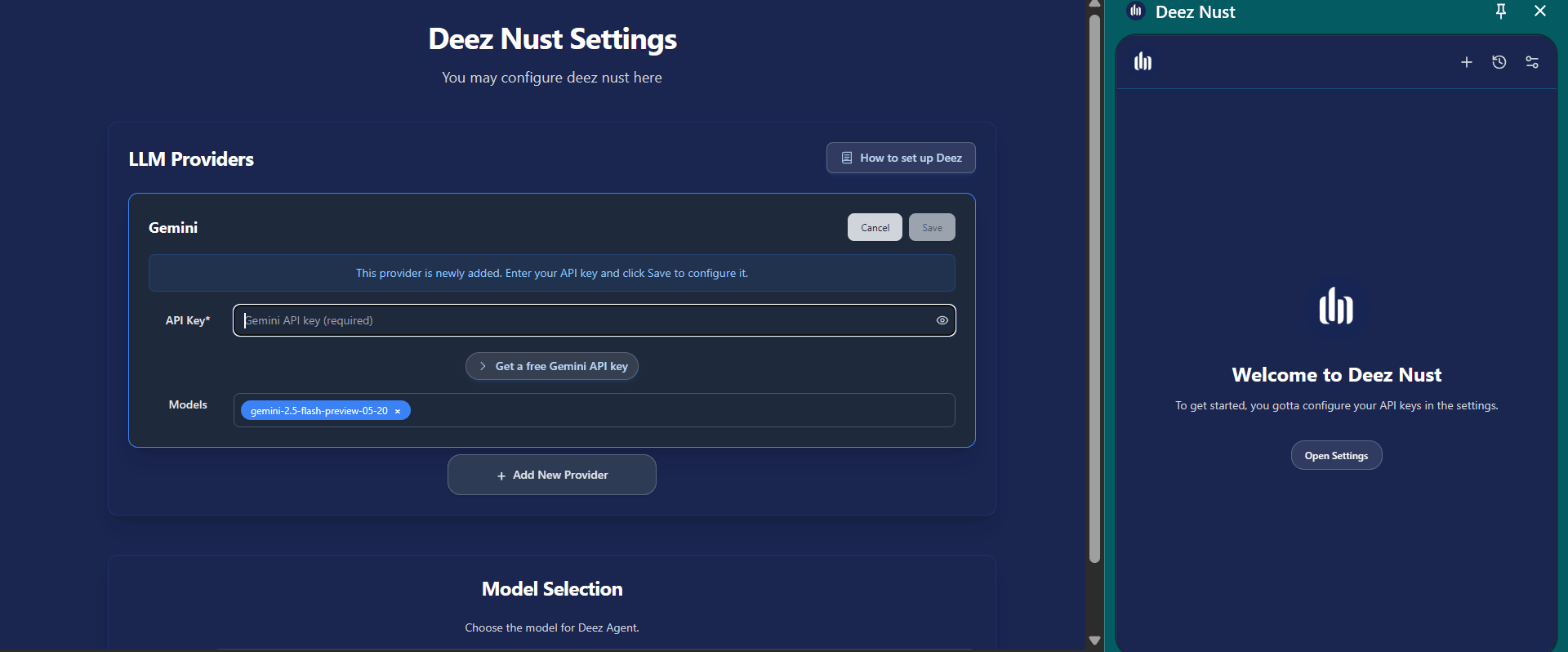
Click Save
Confirm everything looks right, then click Save.
5
Start a new chat
Click the New Chat icon. You are good to go!